Mobile App
Features
Moodle Mobile is the Moodle official mobile application for Android and iOs. It’s available in Google Play and Apple Market.
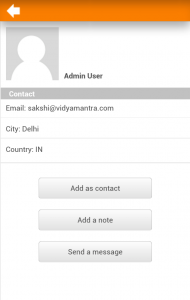
- Responsive design for phone and tablets
- Upload a picture into your private file area
- Record an audio file and upload it into your private file area
- Send a private message to a course participant (can be done offline)
- Take a personal note about a course participant (can be done offline)
- Add a course participant to your phone contact
- Call a course participant touching the phone number
- Locate a course participant address on Google map
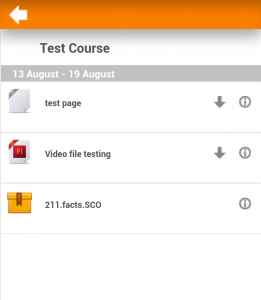
- Download and view some resources
- Quick access to your course contents
- View calendar events (require Moodle 2.5.5 or Moodle 2.6.2 and onwards)
- Mobile notifications (Push) (from Moodle.org or any site starting Moodle 2.7)
- Remote layout/style customization (see below)
Notice that Moodle Mobile is not a replacement of the MyMobile or Bootstrap/Simple theme. Moodle Mobile offers offline contents, camera & audio features and (in a future) Push notifications. You can use Moodle Mobile app in combination with a Mobile theme.
Style customization
The app can also retrieve your custom styles from your Moodle site. Since the app is a HTML5 app, you can apply safely any CSS, CSS2 and CSS3 style.
In your Moodle installation go to Plugins / Web services / Mobile and enter in the mobilecssurl field a valid URL pointing to a CSS file containing your custom styles. The original styles to override can be found here: https://github.com/moodlehq/moodlemobile/tree/master/css
The CSS should be placed inside your Moodle installation (in your custom theme or inside a local plugin)
Once the user is logged in the app, there is a periodical process that retrieves your remote CSS files for applying your custom styles.
Notice that on the first time a user opens the app, he will see the default “orange” style. Your custom styles will be applied once the user has added a site in the app.
Enable Mobile app
Moodle 2.4 or above is mandatory.
The administrator of your Moodle site must enable mobile access as follows:
In Administration > Site administration > Plugins > Web services > Mobile tick the ‘Enable web services for mobile devices’ checkbox, then click the button to save changes.
Installing the mobile app
Apps are available in Google Play and also Apple Store. You can install the app directly from your Mobile device, search for “Moodle Mobile” the author/owner must be “Moodle Pty Ltd”
Android: https://play.google.com/store/apps/details?id=com.moodle.moodlemobile
iOS: https://itunes.apple.com/app/moodle-mobile/id633359593?mt=8
Cache
If you connect to your Moodle site and update/create/delete anything, and then go to your mobile app, the content will not be displayed. You will have to wait a couple of minutes. The cache time for the app is currently 5 minutes.
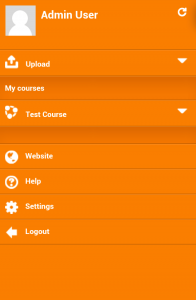
You can refresh the contents of the Mobile app using the refresh button (top right in the left orange menu)
There are developer options for purging the cache at any time (Site administration -> Development).