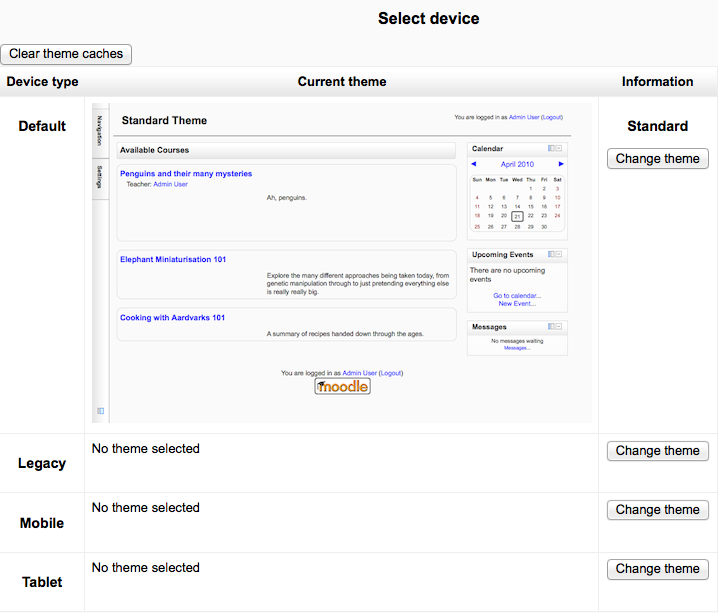
Theme Selector
An administrator can set a theme for the site in Administration > Site administration > Appearance > Themes > Theme selector.
Different themes may be set according to ‘device type’ - default, legacy (for older browsers), mobile and tablet.
- Click on the “Select theme” button next to the type you wish to change
- Scroll down to see the previews of the available themes and click on the “Use theme” button to chose the theme
- The next screen will provide information about the theme. Click “Continue”
Note 1: Moodle caches themes so if you don’t immediately see changed settings that you were expecting, click the “Clear theme caches” button at the top of the Theme selector page.
Note 2: The selected theme may be overridden if user/course or category themes have been allowed in the Theme settings.